When surveillance video captures a collision, one of the first things a layperson looks at is the clock in the corner of the screen. Count how many seconds a car takes to cross the frame, and you have its speed. At least, that’s how it seems.
In my experience, that clock deserves more scrutiny than it usually gets. In forensic video analysis, speed from video comes down to distance divided by time, so any error in the time directly affects the speed. And the timestamp on a DVR isn’t always telling you what you think it is.
The question gets harder when the original file is gone. All too often, the original footage no longer exists by the time a civil case gets going. Most systems only keep recordings for 7 to 14 days before recording over them, and nobody pulled a native export in time. What survives is a phone video someone took of the playback monitor, maybe a police officer or the business owner. Our clients come to us with that recording and essentially ask whether it can still tell us what happened.
This is known as “video of video.” Experts tend to handle it in one of two ways. Some over-rely on it and don’t understand its limitations. Others, traditionally forensic video analysts, have been trained not to use it for speed or timing at all.
The concern is fair. Recording a screen strips out the metadata from the original file and replaces it with new metadata from the phone. That makes it harder to understand anomalies in the original recording, the position of an object, and the timing of when the object was in that position. But declaring the evidence unusable doesn’t help anyone when it’s the only video there is. I’d rather test it and find out where its limits are.
What We Set Out to Test
My co-authors and I wanted to know how much a surveillance timestamp can be trusted, so we tested it against something we knew was right. That reference was a lightboard, a panel of LEDs that switch on and off on a precise, known schedule. Think of it as a very accurate stopwatch that a camera can see. By filming it, we could tell exactly how much time passed between any two frames and compare that to what the timestamp said.
We used an Axon VFR Lightboard, which is certified for timing accuracy. We filmed it with four recording devices and six cameras at 30, 15, and 4 frames per second. We also tested with one camera connected and with several sharing the same recorder. That gave us 54 videos.
In each video, we looked at 10 “timestamp seconds.” A timestamp second is the stretch of video from the moment the clock ticks to a new second until it ticks again. That’s 540 timestamp seconds in all.
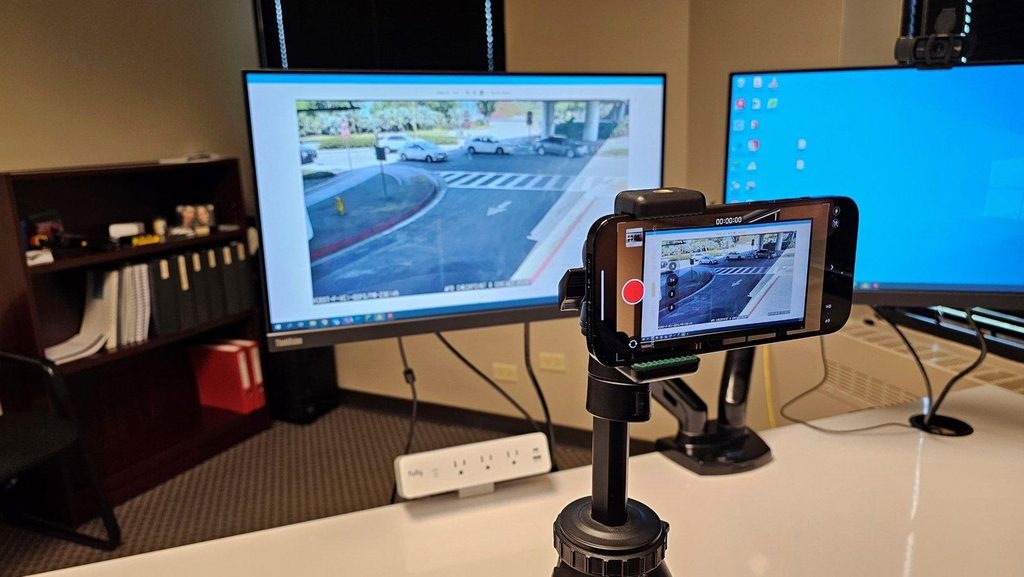
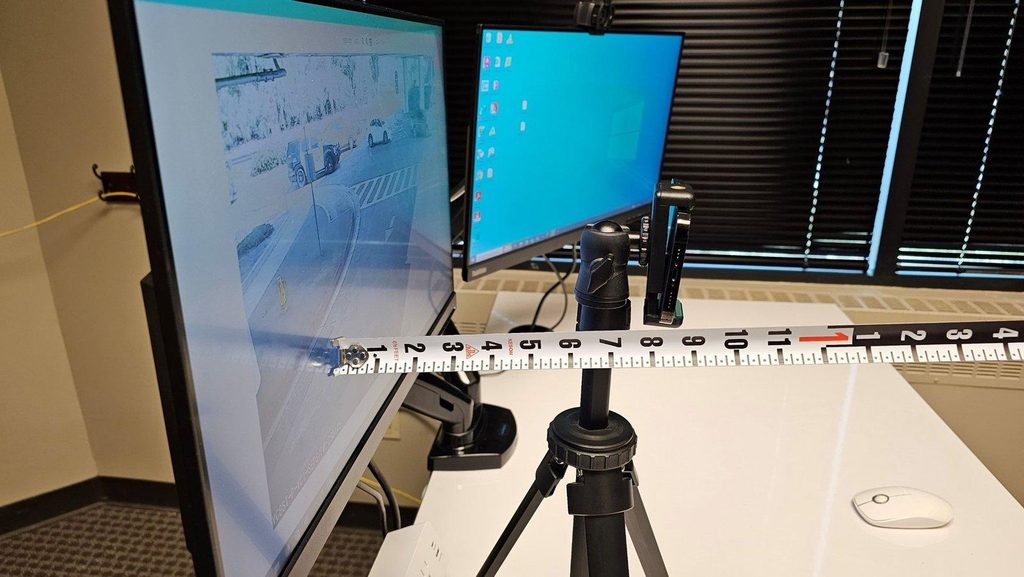
Then we played some of those recordings back on a monitor and filmed the screen with an iPhone 14 Pro on a tripod, much like a first responder might. That gave us 13 video-of-video recordings where we already knew the right answer. The results were published in SAE Technical Paper 2025-01-8690.
What We Found in the Original Recordings
One timestamp second is not always one second. Some ran noticeably shorter or longer than real time. There were several possible causes, some of them complex, but most importantly, the error followed a pattern.
The answer is to count frames. If you know how many frames the system records per second on average, and you count the frame intervals inside a given timestamp second, you can calculate how long that second really lasted. For example, if a system averages 15 frames per second and a timestamp second contains 16 intervals, that second actually lasted about 1.067 seconds.
Using that approach, the average timing error across all 540 timestamp seconds was 2.99 milliseconds, or about 0.3%. The worst single case was 22 milliseconds, about 2.2%. For a vehicle traveling 40 mph, that’s about 0.1 mph of average timing error and roughly 0.9 mph in the worst case we recorded.
Timing is the part people tend to take for granted. An accident reconstruction expert or attorney who reads the clock at face value and one who counts how many frames actually fall in each second can reach different speeds from the same video.
The Low Frame Rate Problem
Every result above 20 milliseconds came from systems set to 4 frames per second. At that setting, frames should be about a quarter second apart. Instead, every recorder we tested alternated between slightly shorter and slightly longer gaps, roughly 235 and 265 milliseconds. In some timestamp seconds, those swings didn’t even out, and the error went up.
We didn’t see this at 15 or 30 frames per second. Outside of the low frame rate cases, most tests topped out at around 3 to 7 milliseconds of error. If the video in your case was recorded at a low frame rate, it’s worth asking whether the analyst checked for this.
What Changed When We Filmed the Screen
In the phone recordings, the only timing information left was the clock the DVR printed on each frame. So we counted the unique original frames within each timestamp second to work out the system’s average frame rate. Across 195 timestamp seconds, the frame rate we calculated matched the recorder’s setting in all 13 recordings. When we used it to calculate elapsed time, the error was in line with what we saw from the original files.
In other words, filming the monitor didn’t add large timing error on its own, over longer periods of time where frame-to-frame timing variations averaged out. The catch is in how the frames get counted.
Where the Counting Goes Wrong
A phone usually records more frames per second than a surveillance system. If the phone shoots at 30 frames per second and the DVR recorded at 15, each original frame shows up in the phone video about twice. Only the frames with new information count.
The harder problem is the transition between pictures. Between one repeated frame and the next, we often found a single frame that blended the two, likely because of how the phone’s shutter lines up with the monitor’s refresh or how the phone compresses video. On the lightboard, this showed up as a light pattern that was physically impossible. In a real case, it might look like a vehicle sitting in two places at once. If an analyst counts that blended frame as its own frame, the frame rate is wrong, and so is every speed built on it.
It also matters where the count starts and stops. The first frame showing a new timestamp second is counted. The frame where the clock changes again belongs to the next second.
What This Research Doesn’t Tell You
These numbers describe timing only. They don’t include error from locating the vehicle in the frame, which is a separate question and often a larger one. That’s especially true in a recording of a screen. That research is next, but case studies have shown us that in many cases photogrammetry can be possible depending on what portion of the original recording is visible within the frame. For instance, when the phone camera is too close to the monitor and only a small portion of the original video is visible, the ability to reliably determine an object’s position is much less likely.
The method also can’t account for dropped frames, which are frames the recorder failed to save. And it’s less reliable when a vehicle is only visible for a short time, where frame-to-frame variations don’t have a chance to average out.
What Attorneys Can Do
The first priority should always be the original file. Ask for the native export from the DVR or NVR as early as possible, ideally within days of the incident. The original file’s metadata and a lightboard test of the actual system will tell you more than the timestamp alone.
If the footage is already gone, the recording system itself may still help. As long as the recorder and cameras haven’t changed, an analyst can test that system with a lightboard and measure how it actually behaves, including whether it drops frames.
Even with a validated method, working with video of video is complex and calls for extreme caution. Still, I’d much rather understand what this evidence can support than set it aside without looking, or rely on it too heavily in an improper manner.
Frequently Asked Questions
Not always from one second to the next. In published testing of four recording devices and six cameras, some timestamp seconds ran noticeably shorter or longer than one second of real time. Counting the frames in each timestamp second and applying the system’s average frame rate brought the average timing error down to about 0.3%, with a worst case of about 2.2%.
It can, with care. In our testing, phone recordings of the playback monitor produced timing errors in line with the original files, as long as the unique frames were counted correctly. Timing is only part of the answer, though. How accurately a vehicle can be located depends on how much of the original picture is visible in the phone recording, and the result should be checked against other evidence.
Find out whether the recording system is still in place and unchanged. If the same recorder and cameras are still installed, an analyst can test the system with a lightboard to measure its actual frame rate and check whether it drops frames. Any phone recordings of the playback screen should also be preserved in their original form.
